Updates

  1. Every US-listed company has a page with its SEC filings. Company pages list their experts and their management, past and present. Fund managers sit under Investors. Each show has a page of its episodes, and an episode page names its guests and hosts. Biographies lists groups, then people. Breadcrumbs show where a page sits.
  2. Media lists every podcast episode, video, interview and talk, over 10,000, by person, company, publisher and event; each filter searches its own choices. Books opens on its table, then Browse, then Authors and Recommenders. A filter's count no longer covers its arrow.
  3. A book that no company, country or subject page lists shows its topics under Where it sits in the reference. On a phone, a page's tabs scroll sideways only. Descriptions read the same on every page. See them in the Experts tab lists every expert the page names.
  4. Every podcast episode, video and interview has its own page with a video or audio player and a link to the source. Investor pages show each company's sector and market cap; firms such as Berkshire Hathaway have one page that holds their letters and their company tabs. Letters tabs filter by company and search the theses. Companies filter by Public, Private and Defunct and link each company's website.
  5. Every tab, view and search has its own address, such as /books/table/asset or /letters/companies, so Back works and a link opens the same place. Page addresses no longer end in .html. Fund letters, Investors, Companies and Papers load about a fifth of the data they did.
  6. Fund letters has a Companies tab: every company the letters name, with its market cap, sector, country, and how many letters and investors name it. Investor pages link each investor's website. Lists in table cells end with “… and N more” at every width.
  7. 1,120 more book summaries; descriptions for 373 papers; pages for 137 more companies, each with the fund letters that discuss it; 215 official photographs; search has its own page.
  8. 411 more books have a summary; person pages list 930 more of the books they wrote; 147 people show their official photograph.
  9. Every investor has a page with its letters and the companies they discuss; company pages list the investors whose letters name them.
  10. A Companies section at the top of the rail lists every company the books, experts and fund letters name.
  11. Person pages list letters, writing, profiles and links as sortable tables with filters, and show each person's companies as links; Fund letters show each letter's description in its own column.
  12. Experts show a checked job title and a short description of each person; 30 more people have photographs.
  13. Every company, fund, university and publication the experts work for has a page listing the people there.
  14. Fund letters show each letter's thesis and filter by it; 225 person pages list the essays, columns and newsletter issues the person wrote.
  15. Person pages list every essay and newsletter issue a person wrote, and their own books as a table in List view.
  16. Recommends shows the five largest kinds of book and the rest under More; browse pictures load sooner.
  17. Podcasts and talks link the original episode, filter by Audio and video or Press, and list each publisher once.
  18. Pages are wider, Recommends has List and Grid, and a filter clicked again turns off.
  19. Book cards sit in a ruled grid with Open Library and Goodreads links and each book's one-line note.
  20. Funds is now Investors; each investor's styles are buttons that filter the table.
  21. Podcasts and talks on a person's page filter by year and publisher and show as a list or a grid of pictures.
  22. Quotes show only people's own words: 472 summaries written by list sites are gone.
  23. Country pages open from Browse again, and every link on the shelf lands on a page.
  24. Subject and person pages show their sections as tabs, and each book appears once on a person's page.
  25. Book cards show the quote, who said it and the source; grids show five cards to a row.
  26. On a phone, a menu holds the sections, search, Updates, Feedback and dark mode.
  27. Feedback takes a screenshot of the page with no browser prompt, opens a screenshot full size when you click it, and clears itself once sent.
  28. Book cards are centred, search names the topic each book sits in, and any text cut short shows whole on hover.
  29. Search groups its results by kind: people, companies, geographies, subjects, topics, books, funds, fund letters and papers.
  30. The Books table lists who recommended each book by name, and the browser tab names the section you are in.
  31. Feedback can take a screenshot of the page, or one you paste or choose, and opens in the corner beside Updates.
  32. Each rail button reopens its section where you left it, and Browse, Table and People show on every book and subject page.
  33. Filters grey out choices that hold nothing instead of hiding them, and Books › People filters by authors or recommenders.
  34. Feedback takes a subject line and up to three screenshots.
  35. Biographies are grouped by the person they are about: 41 new pages, from Abraham Lincoln to Lee Kuan Yew.
  36. Sport splits into 23 sports, and Religion into one topic per faith.
  37. Book lists show as cards: the cover, one recommendation quote and every recommender by name.
  38. Seventeen subjects that had two or three pages under different names now have one page each.
  39. Every page lists its Experts as authors and recommenders, with a link to them on the Experts tab.
  40. Economics, Financial history, Financial panics and Accounting are subjects of their own, with one page per financial crisis.
  41. Book, person and subject pages open inside the app, so the tabs stay in view.
  42. 996 more book covers, and photographs or logos for 227 more people and companies.
  43. Books › Browse shows every subject as cards, and the rail holds Fund letters, Papers, Experts, Books and Funds.
  44. Every topic over 150 books splits into narrower topics, each with a page of its own.

Send feedback

What is it?
Screenshots, up to 3 (optional)
or paste one with Ctrl+V

We use your email only to reply to you.

Maverick

Maverick

Ricardo Semler
1993
T3 272 pages · about 4h 32m to read Open Librarygoodreads

Summary

Semler took over his father's Brazilian manufacturing company Semco at twenty-one and dismantled its hierarchy and controls over the following decade. The book documents what he did and what happened.

The practices are extreme and specific. Employees set their own salaries with the figures published internally. Workers elected their managers and evaluated them twice yearly with the results published. There were no fixed working hours, no dress code, no organisation chart, and no formal statement of company objectives. Financial statements were published to all employees, and the company ran courses so that workers could read them. Employees decided factory locations, the layout of their own workspaces and the colour of the walls. Business unit sizes were capped at around one hundred and fifty people, above which units were split. Profit sharing was distributed by the employees themselves at rates they determined.

Semler describes the transition, including the initial firing of most of the senior managers, the resistance encountered and the periods when the approach produced disorder. The results he reports include substantial revenue growth and near-zero turnover through a period of Brazilian hyperinflation and economic crisis.

The evidence is entirely Semler's own account and the financial claims have not been independently verified. Semco was a mid-sized manufacturer in a specific market and the model has rarely been replicated successfully, which Semler acknowledges. The company's later trajectory is less documented than its transformation. The demonstration that the controls most companies treat as necessary can be removed without collapse is the book's contribution.

Key takeaways 8

  1. Employees at Semco set their own salaries with the figures published internally, which produced fewer distortions than the previous system.
  2. Workers elected their managers and evaluated them twice yearly with results published, which changed what managers optimised for.
  3. Publishing complete financial statements to all employees required teaching them to read the statements, which the company funded.
  4. Business units were capped at around one hundred and fifty people and split above that size, on the argument that larger units stop functioning.
  5. Fixed hours, dress codes, organisation charts and formal objectives were all removed without the predicted collapse.
  6. Employees determined factory locations and workspace layouts, which produced decisions management would not have made.
  7. Profit sharing was distributed by employees at rates they determined rather than by a formula management set.
  8. The evidence is entirely the author's own account, the financial claims are unverified, and the model has rarely been replicated.

Who should read it

Executives who want a documented case of removing controls that most organisations treat as necessary, from a single unverified account.

About Ricardo Semler

Former chief executive of the Brazilian manufacturer Semco, where he removed most management controls and let staff set pay and hours.

Maverick documents what happened at Semco when workers elected their own managers, read the full financial statements and set their own salaries, and how the company performed through Brazilian hyperinflation while doing it. The Seven-Day Weekend extends the argument to scheduling and to how a company without a fixed strategy department decides which businesses to enter.

Who recommended it 3 · 1 direct

Jason Friedreported

Similar books 6

Chosen by shared topics, the entries that hold them, and the people who recommended both.

Jack Stack, Bo Burlingham · 2002

Building an ownership culture in which employees think and act like owners.
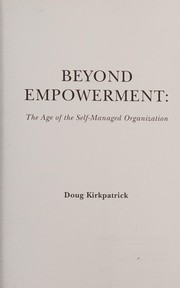
Where it sits in the reference 3

Executives
Business themes
Business themes

Topics 2

Business and ManagementLeadership