| "Zero Chance" AI Bubble Doesn't Pop (Here's Who's Safe) | Geoffrey Moore, Author & Venture Partner | Topline | 2026-11-01 |
| Beyond Innovation: Geoffrey Moore on Leadership, Value, and the Next Era of Competitive Advantage | Bold Agendas | 2026-10-02 |
| S4E3 - Geoffrey Moore: Crossing the Chasm in the Age of AI | Strategy Hero | 2026-03-25 |
| Geoffrey Moore: How to Reduce Latency and Unlock Trapped Value | Ep 36 | The Connected Workers | 2025-11-28 |
| S1E2: Crossing the Chasm (feat. Geoffrey Moore) | The Golfing CEO | 2025-08-26 |
| Crossing the Chasm in 2025: AI, Disruption, and What Still Holds True with Geoffrey Moore | The Business Development Podcast | 2025-05-18 |
| #49: Geoffrey Moore: Pattern Recognition | Fools and Sages | 2025-05-13 |
| Encore Episode: From Crossing the Chasm to Zone to Win with Geoffrey Moore | Medical Sales Accelerator | 2024-11-11 |
| Ep 134 - Geoffrey Moore - Crossing the Chasm with Customer Education | CELab: The Customer Education Lab | 2024-06-27 |
| Crossing the Chasm & Tech Adoption Revisited w/ Geoffrey Moore - AZ TRT S05 EP11 (226) 3-17-2024 | AZ Tech Roundtable 2.0 | 2024-03-22 |
| Geoffrey Moore on Generative AI, Zone to Win, and Crossing the Chasm | Innovation Answered | 2024-02-20 |
| Crossing the Chasm with Geoffrey Moore | Driving Ahead, the NADA Podcast | 2024-01-30 |
| Geoffrey Moore on finding your beachhead, crossing the chasm, and dominating a market | Lenny's Podcast: Product | Career | Growth | 2024-01-25 |
| Cross The Chasm Of Technologies: A Game Plan For Marketing In High-Tech Industries With Geoffrey Moore | B2B Go-To-Market Leaders | 2023-12-14 |
| Nobody believes the spreadsheets. It’s all about stories. Interview with Geoffrey Moore | Belkins Podcast | 2023-12-07 |
| Geoffrey Moore on the Two Mistakes That Trip Up Startup Founders (Part 2) | Startup Science Podcast with Gregory Shepard | 2023-10-23 |
| Zoning in on Zone to Win - With Geoffrey Moore | Catalyst | 2023-10-17 |
| Geoffrey Moore, Author of Crossing the Chasm, on Markets and Meaning (Part 1) | Startup Science Podcast with Gregory Shepard | 2023-10-16 |
| Everything Thought Leadership – Crossing the Thought Leadership Chasm – Geoffrey Moore | Everything Thought Leadership | 2023-05-22 |
| From Crossing the Chasm to Zone to Win with Geoffrey Moore | Medical Sales Accelerator | 2023-03-20 |
| The first thing to do in a downturn - ft. Geoffrey Moore, Best-Selling Author | [Un]Churned – The No. 1 Podcast for Customer Retention | 2022-11-07 |
| EP 183 | Geoffrey Moore - How your churn and retention is impacted by your stage of growth | CHURN FM | 2022-09-28 |
| Geoffrey Moore On How To Win As A Best-in-Class Net Dollar Retention Enterprise | Customer Valuecast | 2022-09-22 |
| Geoffrey Moore | Staircase to Sustainability | Groundswell Origins Podcast | 2022-08-12 |
| Season B - Ep. 1: Geoffrey Moore, Author and Partner at Wildcat Venture Partners, on Crossing the Chasm – 30 Years Later | SaaShimi | 2022-05-31 |
| Crossing The Chasm [Interview: Geoffrey Moore] | The Brokerpreneur Podcast | 2022-05-13 |
| Geoffrey Moore – Don’t Mix Complex and Simple Business Systems | My Worst Investment Ever Podcast | 2022-03-10 |
| Crossing The Chasm - 30 Years Later - Geoffrey Moore | Tech Marketing Trends | 2022-02-25 |
| EP42: Crossing the Chasm with the Iconic Geoffrey Moore | Start. Scale. Exit. Repeat.: Serial Entrepreneur: Secrets Revealed! | 2022-02-09 |
| Geoffrey Moore - Building Gorilla Businesses | Invest Like the Best with Patrick O'Shaughnessy | 2022-01-27 |
| A Chicken Can Only Lay One Egg At a Time - Geoffrey Moore, Tech Industry Legend | Get Amplified | 2021-12-22 |
| Crossing the Chasm with Geoffrey Moore, Author | Metrics that Measure Up | 2021-11-26 |
| Geoffrey Moore on How We Can Be Ethical Without Religion | Living Philosophy | 2021-09-28 |
| Ep. 9 - Crossing the Chasm as a Framework for Investments - with Geoffrey Moore, Bryan Stolle and Jennifer Trzepacz | Traction and Trapped Value | 2021-06-03 |
| Ep. 8 - The Hierarchy of Powers as an Investment Model with Geoffrey Moore | Traction and Trapped Value | 2021-05-05 |
| Geoffrey Moore: Connect with a Diverse World or Become Marginal | Diversity: Beyond the Checkbox | 2020-12-01 |
| #19 Geoffrey Moore | Crossing the Chasm | Brand Rounds | 2020-10-13 |
| Ep 22: Crossing the Chasm (with Geoffrey Moore) | Business of Software Podcast | 2020-06-16 |
| Leading, Transforming, and Thriving in Today’s Changing World with Tech Innovation Expert Geoffrey Moore | Blazing Trails | 2020-05-28 |
| Geoffrey Moore: Sales Strategies That Work In An Economic Downturn, Provocation-Based Selling | #DreamitLive | 2020-04-02 |
| Why Geoffrey Moore's Crossing the Chasm is a must-read for Ambitious Startup Founders | Pattern Breakers | 2020-02-18 |
| Geoffrey Moore: Why crossing the chasm is critical for growth | Reveal: The Revenue AI Podcast by Gong | 2019-12-23 |
| Geoffrey Moore: Cross the Innovation Chasm | FranklinCovey On Leadership | 2019-12-10 |
| Geoffrey Moore on iTalk Movies | iTalk Movies | 2017-12-11 |
| Geoffrey Moore - High Tech Marketing | Industry Angel Business Podcast | 2016-08-24 |
| Episode 11: Organizing To Compete In An Age of Disruption With Geoffrey Moore | Helping Sells Radio | 2016-04-26 |
| Makers Bar Interview with Geoffrey Moore, Author - Crossing The Chasm and The Infinite Staircase | Makers Bar | |
| Geoffrey Moore Shares His Advice from 'Crossing the Chasm' and 'Zone to Win' at Lean Product Meetup | Dan Olsen | |
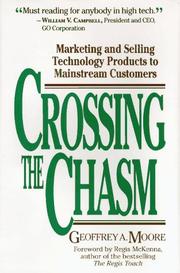
 Crossing the Chasm
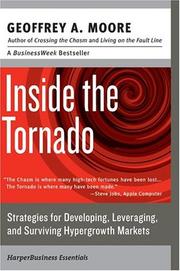
 Inside the Tornado
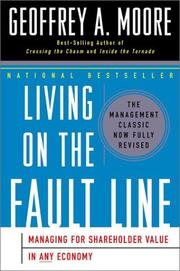
 Living on the Fault Line
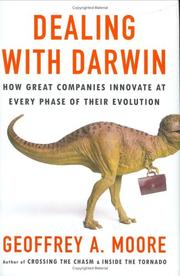
 Dealing with Darwin
 The Gorilla Game