Updates

  1. Person pages list letters, writing, profiles and links as sortable tables with filters, and show each person's companies as links; Fund letters show each letter's description in its own column.
  2. Experts show a checked job title and a short description of each person; 30 more people have photographs.
  3. Every company, fund, university and publication the experts work for has a page listing the people there.
  4. Fund letters show each letter's thesis and filter by it; 225 person pages list the essays, columns and newsletter issues the person wrote.
  5. Person pages list every essay and newsletter issue a person wrote, and their own books as a table in List view.
  6. Recommends shows the five largest kinds of book and the rest under More; browse pictures load sooner.
  7. Podcasts and talks link the original episode, filter by Audio and video or Press, and list each publisher once.
  8. Pages are wider, Recommends has List and Grid, and a filter clicked again turns off.
  9. Book cards sit in a ruled grid with Open Library and Goodreads links and each book's one-line note.
  10. Funds is now Investors; each investor's styles are buttons that filter the table.
  11. Podcasts and talks on a person's page filter by year and publisher and show as a list or a grid of pictures.
  12. Quotes show only people's own words: 472 summaries written by list sites are gone.
  13. Country pages open from Browse again, and every link on the shelf lands on a page.
  14. Subject and person pages show their sections as tabs, and each book appears once on a person's page.
  15. Book cards show the quote, who said it and the source; grids show five cards to a row.
  16. On a phone, a menu holds the sections, search, Updates, Feedback and dark mode.
  17. Feedback takes a screenshot of the page with no browser prompt, opens a screenshot full size when you click it, and clears itself once sent.
  18. Book cards are centred, search names the topic each book sits in, and any text cut short shows whole on hover.
  19. Search groups its results by kind: people, companies, geographies, subjects, topics, books, funds, fund letters and papers.
  20. The Books table lists who recommended each book by name, and the browser tab names the section you are in.
  21. Feedback can take a screenshot of the page, or one you paste or choose, and opens in the corner beside Updates.
  22. Each rail button reopens its section where you left it, and Browse, Table and People show on every book and subject page.
  23. Filters grey out choices that hold nothing instead of hiding them, and Books › People filters by authors or recommenders.
  24. Feedback takes a subject line and up to three screenshots.
  25. Biographies are grouped by the person they are about: 41 new pages, from Abraham Lincoln to Lee Kuan Yew.
  26. Sport splits into 23 sports, and Religion into one topic per faith.
  27. Book lists show as cards: the cover, one recommendation quote and every recommender by name.
  28. Seventeen subjects that had two or three pages under different names now have one page each.
  29. Every page lists its Experts as authors and recommenders, with a link to them on the Experts tab.
  30. Economics, Financial history, Financial panics and Accounting are subjects of their own, with one page per financial crisis.
  31. Book, person and subject pages open inside the app, so the tabs stay in view.
  32. 996 more book covers, and photographs or logos for 227 more people and companies.
  33. Books › Browse shows every subject as cards, and the rail holds Fund letters, Papers, Experts, Books and Funds.
  34. Every topic over 150 books splits into narrower topics, each with a page of its own.

Send feedback

What is it?
Screenshots, up to 3 (optional)
or paste one with Ctrl+V

We use your email only to reply to you.

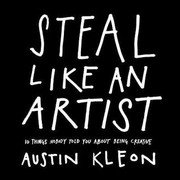
Steal Like an Artist: 10 Things Nobody Told

Steal Like an Artist: 10 Things Nobody Told You About Being Creative

Austin Kleon
2012
160 pages · about 2h 40m to read Open Librarygoodreads

Summary

Kleon presents ten short chapters on creative work, built on the argument that nothing is original and that all creative work builds on what came before, so the useful question is what to steal and from whom rather than how to be original.

His practical positions include studying your influences deliberately and tracing their influences in turn; imitating many sources rather than one, since copying one produces a copy and copying many produces something new; starting before you feel ready because you learn the work by doing it; making the thing you want to see, since that is the only reliable guide to what to make; keeping side projects and hobbies because the useful material comes from what appears to be procrastination; and separating the computer, which is good for editing, from analogue tools, which he argues are better for generating.

He also argues for geographic and social independence, for being nice online, for sharing work openly rather than protecting it, for keeping a day job and its structure, and for the value of constraints in producing work at all.

The book is very short, heavily illustrated and designed to be read in an hour. It contains no research and Kleon states positions rather than arguing them. Much of it restates advice that other writers have given at greater length, including Lewis Hyde on the gift and Jonathan Lethem on plagiarism. Its value is compression and usability. It is the shortest available statement of the position that creative work proceeds by combination rather than by invention, and its instructions are specific enough to act on immediately.

Key takeaways 8

  1. Nothing is original, so the useful question is what to take and from whom rather than how to be original.
  2. Copying one source produces imitation while copying many produces something new, which makes the number of influences the operative variable.
  3. You should study your influences and then study their influences, because the second layer is where the material nobody else is using sits.
  4. Starting before you feel ready is necessary because the work is how you learn to do it.
  5. Make the thing you want to see, since your own dissatisfaction is the only reliable guide to what is missing.
  6. Side projects and apparent procrastination generate the material that the main work later uses.
  7. Sharing work openly attracts the people you need, and protecting it means nobody knows what you do.
  8. Constraints produce work while unlimited freedom produces paralysis, so limits should be adopted deliberately.

Who should read it

Anyone starting creative work who wants a very short push and a set of specific instructions rather than a theory.

Who recommended it 5 · 1 direct

Ali Abdaalreported
Chase Jarvisreported
Jake Knappreported

Similar books 6

Chosen by shared topics, the entries that hold them, and the people who recommended both.
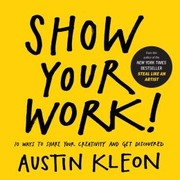
Austin Kleon · 2019

Recommended by: Ryan Holiday

Julia Cameron · 1992

A course in the creative process and in living an artist's life.

Recommended by: Brian Koppelman, Tim Ferriss

Where it sits in the reference 0

No entry holds this book yet. It reached the reference because someone recommended it.

Topics

Art and DesignProductivity and HabitsCreativity and Creative CareersCareers, learning, creative work and simple living