Updates

  1. Person pages list letters, writing, profiles and links as sortable tables with filters, and show each person's companies as links; Fund letters show each letter's description in its own column.
  2. Experts show a checked job title and a short description of each person; 30 more people have photographs.
  3. Every company, fund, university and publication the experts work for has a page listing the people there.
  4. Fund letters show each letter's thesis and filter by it; 225 person pages list the essays, columns and newsletter issues the person wrote.
  5. Person pages list every essay and newsletter issue a person wrote, and their own books as a table in List view.
  6. Recommends shows the five largest kinds of book and the rest under More; browse pictures load sooner.
  7. Podcasts and talks link the original episode, filter by Audio and video or Press, and list each publisher once.
  8. Pages are wider, Recommends has List and Grid, and a filter clicked again turns off.
  9. Book cards sit in a ruled grid with Open Library and Goodreads links and each book's one-line note.
  10. Funds is now Investors; each investor's styles are buttons that filter the table.
  11. Podcasts and talks on a person's page filter by year and publisher and show as a list or a grid of pictures.
  12. Quotes show only people's own words: 472 summaries written by list sites are gone.
  13. Country pages open from Browse again, and every link on the shelf lands on a page.
  14. Subject and person pages show their sections as tabs, and each book appears once on a person's page.
  15. Book cards show the quote, who said it and the source; grids show five cards to a row.
  16. On a phone, a menu holds the sections, search, Updates, Feedback and dark mode.
  17. Feedback takes a screenshot of the page with no browser prompt, opens a screenshot full size when you click it, and clears itself once sent.
  18. Book cards are centred, search names the topic each book sits in, and any text cut short shows whole on hover.
  19. Search groups its results by kind: people, companies, geographies, subjects, topics, books, funds, fund letters and papers.
  20. The Books table lists who recommended each book by name, and the browser tab names the section you are in.
  21. Feedback can take a screenshot of the page, or one you paste or choose, and opens in the corner beside Updates.
  22. Each rail button reopens its section where you left it, and Browse, Table and People show on every book and subject page.
  23. Filters grey out choices that hold nothing instead of hiding them, and Books › People filters by authors or recommenders.
  24. Feedback takes a subject line and up to three screenshots.
  25. Biographies are grouped by the person they are about: 41 new pages, from Abraham Lincoln to Lee Kuan Yew.
  26. Sport splits into 23 sports, and Religion into one topic per faith.
  27. Book lists show as cards: the cover, one recommendation quote and every recommender by name.
  28. Seventeen subjects that had two or three pages under different names now have one page each.
  29. Every page lists its Experts as authors and recommenders, with a link to them on the Experts tab.
  30. Economics, Financial history, Financial panics and Accounting are subjects of their own, with one page per financial crisis.
  31. Book, person and subject pages open inside the app, so the tabs stay in view.
  32. 996 more book covers, and photographs or logos for 227 more people and companies.
  33. Books › Browse shows every subject as cards, and the rail holds Fund letters, Papers, Experts, Books and Funds.
  34. Every topic over 150 books splits into narrower topics, each with a page of its own.

Send feedback

What is it?
Screenshots, up to 3 (optional)
or paste one with Ctrl+V

We use your email only to reply to you.

Creative Selection

Creative Selection

Ken Kocienda
2018
T3 291 pages · about 4h 51m to read Open Librarygoodreads

Insider account by the engineer who built the iPhone keyboard.

Summary

Kocienda was a software engineer at Apple from 2001 to 2017 and worked on Safari, on the iPhone keyboard and on the iPad. He documents how software was actually developed there, which he presents as a specific process rather than as a culture.

The process he calls creative selection consists of building a demo, showing it to a small group, receiving a decision, and iterating. He describes the demo as the unit of work: everything was decided by looking at something running rather than by discussing a specification or a document. Demos were shown up a chain that ended with Jobs, and the decisions were made in the room by one person.

His account of the iPhone keyboard development is the book's centre. The team faced the problem that a touchscreen keyboard had no tactile feedback and that fingers were larger than the keys. He describes the internal competition in which several engineers each built a candidate, the selection of his approach, and the subsequent work on the autocorrection algorithm and the dictionary that made it usable.

The seven elements he identifies as the culture's basis are inspiration, collaboration, craft, diligence, decisiveness, taste and empathy, and he defines each with examples rather than as values. The book is a personal account and does not address Apple's failures, its labour practices or the periods when the process did not work. It is narrow by design, covering software development rather than the company. The demo-driven decision process and the account of the keyboard problem are the substantive material.

Key takeaways 8

  1. Decisions were made by looking at something running rather than by discussing a specification or a document.
  2. A demo is the unit of work, which means the question at every stage is what can be shown rather than what can be described.
  3. Demos were shown to a small group and a single person made the decision in the room rather than through a process.
  4. Internal competition in which several engineers each built a candidate produced the iPhone keyboard, and the selection was made by comparing working versions.
  5. Autocorrection rather than key size solved the touchscreen keyboard problem, which required accepting that users would hit the wrong keys.
  6. Concrete demonstration removes the ambiguity that verbal descriptions of software preserve, which is why the process moved faster than specification-driven development.
  7. The seven elements Kocienda identifies are defined by examples of behaviour rather than as values to be stated.
  8. The account covers software development rather than the company, and does not address Apple's failures or its labour practices.

Who should read it

Product and engineering leaders who want a concrete account of a demo-driven decision process from inside a company that used it.

Who recommended it 3

Chris Dixonreported
Keith Raboisreported

Similar books 6

Chosen by shared topics, the entries that hold them, and the people who recommended both.
Tripp Mickle · 2022

Apple after Steve Jobs, told through Tim Cook's operations and Jony Ive's design.
Yukari Iwatani Kane · 2014

Early and much-disputed argument that Apple declined after Jobs.
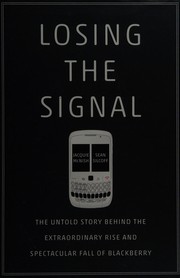
Jacquie McNish, Sean Silcoff · 2015

How BlackBerry maker Research In Motion rose to dominance and fell after the iPhone.

Sea-Jin Chang · 2008

Strategy comparison explaining how Samsung overtook Sony.
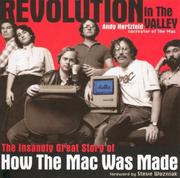
Steven Levy · 1994

How the Macintosh was made and launched in 1984.

Where it sits in the reference 2

Companies
Industries

Topics

Technology and ComputingCompany HistoriesTech company stories