
Eric Schmidt
Ran Google as CEO from 2001 to 2011, then chaired Google and its parent Alphabet until 2017; Bloomberg ranks him among the world's wealthiest people.
 Relativity Space
 AlphabetGoogle
 Novell
 Sun Microsystems
How Google Works describes the management model Google ran at scale - hiring for learning rate, small engineering teams holding decision rights, and strategy derived from a technical insight rather than from market research. Trillion Dollar Coach records the specific coaching method Bill Campbell used with executives at Google, Apple and Intuit, including how he ran meetings and handled founder-CEO conflict.
3 books of their own · 5 articles · 6 books they recommend
Start here
- How Google WorksEric Schmidt, Jonathan Rosenberg, 2014
- Trillion Dollar CoachEric Schmidt, Jonathan Rosenberg, Alan Eagle, 2019
- The New Digital AgeEric Schmidt, Jonathan Rosenberg, 2013
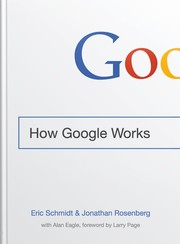
How Google hired and managed smart creatives, people who can't be told what to do.
Recommended by: Mohnish Pabrai, Cynthia Johnson and 2 others

How Bill Campbell coached the leaders of Google, Apple and Intuit.
Recommended by: Matt Mullenweg, Bryant Chou and 5 others

A forecast of a hugely connected future world, with its challenges and benefits.
Recommended by: Mohnish Pabrai, Michael Bloomberg
 How Google Works | How Google hired and managed smart creatives, people who can't be told what to do. | 2014 | T2 | Mohnish Pabrai, Cynthia Johnson, Keith Rabois and 1 others |
 Trillion Dollar Coach | How Bill Campbell coached the leaders of Google, Apple and Intuit. | 2019 | T2 | Matt Mullenweg, Bryant Chou, Patrick Bet-David and 4 others |
 The New Digital Age | A forecast of a hugely connected future world, with its challenges and benefits. | 2013 | T2 | Mohnish Pabrai, Michael Bloomberg |

When and how to put speed before efficiency to capture a market before rivals.
Also recommended by: Anthony Pompliano, Bill Gates, Biz Stone and 6 others

How venture capital works, from fund economics to term sheets, for founders.
Also recommended by: Benedict Evans, Gaby Goldberg and 2 others

Dell's founder on the buyout, the Icahn fight and VMware
Also recommended by: Andrew Wilkinson, Bill Gates, Jamie Dimon and 5 others
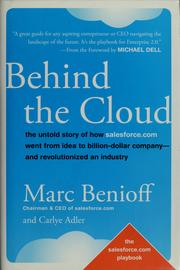
How Salesforce was built, set out as 111 plays on marketing, sales and growth.
Also recommended by: Aaron Levie, David Cancel, David Sacks and 2 others


Evidence that violence of nearly every kind has declined over history, and why.
Also recommended by: Bill Gates, Mohnish Pabrai, Morgan Housel and 5 others
| We Need Energy for AI, and AI for Energy Paywall | Project Syndicate | 2024-12-16 |
| The Global Struggle for Tech Mastery Paywall | Project Syndicate | 2022-12-12 |
| The AI Revolution and Strategic Competition with China Paywall | Project Syndicate | 2021-08-30 |
| Is China Winning the AI Race? Paywall | Project Syndicate | 2020-08-04 |
| The Tinkerer’s Apprentice Paywall | Project Syndicate | 2015-01-19 |
| ‘I Could Solve Most of Your Problems’: Eric Schmidt’s Pentagon Offensive Paywall | The New York Times | 2020 |
| At Google, Eric Schmidt Wrote the Book on Adult Supervision Paywall | Wired | 2017 |
| Why Is Eric Schmidt Stepping Down at Google? Paywall | The New Yorker | 2011 |