Updates

  1. Person pages list letters, writing, profiles and links as sortable tables with filters, and show each person's companies as links; Fund letters show each letter's description in its own column.
  2. Experts show a checked job title and a short description of each person; 30 more people have photographs.
  3. Every company, fund, university and publication the experts work for has a page listing the people there.
  4. Fund letters show each letter's thesis and filter by it; 225 person pages list the essays, columns and newsletter issues the person wrote.
  5. Person pages list every essay and newsletter issue a person wrote, and their own books as a table in List view.
  6. Recommends shows the five largest kinds of book and the rest under More; browse pictures load sooner.
  7. Podcasts and talks link the original episode, filter by Audio and video or Press, and list each publisher once.
  8. Pages are wider, Recommends has List and Grid, and a filter clicked again turns off.
  9. Book cards sit in a ruled grid with Open Library and Goodreads links and each book's one-line note.
  10. Funds is now Investors; each investor's styles are buttons that filter the table.
  11. Podcasts and talks on a person's page filter by year and publisher and show as a list or a grid of pictures.
  12. Quotes show only people's own words: 472 summaries written by list sites are gone.
  13. Country pages open from Browse again, and every link on the shelf lands on a page.
  14. Subject and person pages show their sections as tabs, and each book appears once on a person's page.
  15. Book cards show the quote, who said it and the source; grids show five cards to a row.
  16. On a phone, a menu holds the sections, search, Updates, Feedback and dark mode.
  17. Feedback takes a screenshot of the page with no browser prompt, opens a screenshot full size when you click it, and clears itself once sent.
  18. Book cards are centred, search names the topic each book sits in, and any text cut short shows whole on hover.
  19. Search groups its results by kind: people, companies, geographies, subjects, topics, books, funds, fund letters and papers.
  20. The Books table lists who recommended each book by name, and the browser tab names the section you are in.
  21. Feedback can take a screenshot of the page, or one you paste or choose, and opens in the corner beside Updates.
  22. Each rail button reopens its section where you left it, and Browse, Table and People show on every book and subject page.
  23. Filters grey out choices that hold nothing instead of hiding them, and Books › People filters by authors or recommenders.
  24. Feedback takes a subject line and up to three screenshots.
  25. Biographies are grouped by the person they are about: 41 new pages, from Abraham Lincoln to Lee Kuan Yew.
  26. Sport splits into 23 sports, and Religion into one topic per faith.
  27. Book lists show as cards: the cover, one recommendation quote and every recommender by name.
  28. Seventeen subjects that had two or three pages under different names now have one page each.
  29. Every page lists its Experts as authors and recommenders, with a link to them on the Experts tab.
  30. Economics, Financial history, Financial panics and Accounting are subjects of their own, with one page per financial crisis.
  31. Book, person and subject pages open inside the app, so the tabs stay in view.
  32. 996 more book covers, and photographs or logos for 227 more people and companies.
  33. Books › Browse shows every subject as cards, and the rail holds Fund letters, Papers, Experts, Books and Funds.
  34. Every topic over 150 books splits into narrower topics, each with a page of its own.

Send feedback

What is it?
Screenshots, up to 3 (optional)
or paste one with Ctrl+V

We use your email only to reply to you.

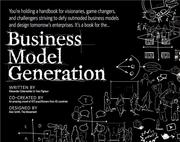
Business Model Generation

Business Model Generation

Alexander Osterwalder, Yves Pigneur
2010
T1 288 pages · about 4h 48m to read Open Librarygoodreads

The canvas: the common vocabulary for describing any business model.

Summary

Osterwalder and Pigneur, with contributions from a large group of practitioners, produced a visual handbook built around the Business Model Canvas, a nine-block template for describing how an organisation creates, delivers and captures value.

The nine blocks are customer segments, value propositions, channels, customer relationships, revenue streams, key resources, key activities, key partnerships and cost structure. The right side covers value and the customer, the left side covers infrastructure and cost, and the two meet at the value proposition. The point of the template is that it makes a business model explicit and comparable, so that a team can discuss it, alter one element and see the consequences elsewhere, and compare alternatives.

The book then covers five business model patterns: unbundling the three types of business inside most firms, the long tail, multi-sided platforms, free and freemium models, and open business models. It also covers design techniques including customer insight, ideation, visual thinking, prototyping, scenarios and storytelling, and connects the canvas to strategy through environment scanning, blue ocean analysis and portfolio management.

The book's design is unusual, with heavy use of visuals and layout, which is deliberate and which some readers find effective and others distracting.

The canvas has become standard in startup and corporate innovation practice. Its limitation is that it describes a business model without testing whether it works, which is why it is usually paired with a validation method. It is a communication and structuring tool rather than an analytical one.

Key takeaways 7

  1. A business model can be described completely in nine blocks covering customers, value, channels, relationships, revenue, resources, activities, partners and costs.
  2. Making a business model explicit lets a team change one element and trace the consequences through the others, which conversation alone does not achieve.
  3. Most firms contain three distinct businesses with incompatible economics, being customer relationship, product innovation and infrastructure, and unbundling them improves all three.
  4. Multi-sided platform models require pricing decisions across sides that make no sense within any single side's economics.
  5. Free and freemium models are business models rather than pricing tactics, since they determine the resources, activities and cost structure required.
  6. Prototyping business models, meaning building several alternatives and comparing them, produces better results than refining a single one.
  7. The canvas describes a business model without testing whether it works, so it must be paired with a validation method.

Who should read it

Founders and corporate teams who need a shared structure for describing, comparing and altering business models.

Who recommended it 1

Nir Eyalreported

Similar books 6

Chosen by shared topics, the entries that hold them, and the people who recommended both.
Steve Blank · 2005

Customer development: how startups find customers before building the full product.

“Buy it, read it, keep it under your pillow and absorb it via osmosis.” — Marc Andreessen

Source: Book of the week: Best book for tech entrepreneurs this year, blog.pmarca.com

Recommended by: Marc Andreessen, Andrew Chen, Brad Feld and 2 others

Steve Blank · 2012

A step-by-step guide to finding customers, a market and product-market fit.

Peter Thiel, Blake Masters · 2014

Why startups should build something new and own a small market before growing.

Jim Collins, William C. Lazier · 2020

Expanded edition of the 1992 book

Where it sits in the reference 3

Business models
Business themes
Business themes

Topics

Business and ManagementEntrepreneurship and StartupsStartup Method and Playbooks