UX and Interaction Design
Holds books on usability, interaction design, web and product interfaces, design research and game design.
Start here
- HookedNir Eyal, 2014
- 100 Things Every Designer Needs to Know About PeopleSusan Weinschenk, 1920
- Don't Make Me ThinkSteve Krug, 2000
- SprintJake Knapp, John Zeratsky, Braden Kowitz, 2001
- Universal Principles of DesignWilliam Lidwell, Kritina Holden, Jill Butler, 2010

A four-step model for habit-forming products: trigger, action, reward, investment.
Recommended by: Nat Eliason, Alexis Ohanian, Andrew Chen and 6 others

Organized as short research-backed chapters on how people see, remember, decide, and feel, this is the most accessible bridge between cognitive science and design practice. The sections on peripheral vision, progressive disclosure, and intrinsic motivation are particularly applicable to interface work.
Recommended by: Jan Losert, Johnnie Gomez, Nir Eyal

Krug's web usability primer has stayed relevant for over two decades because its core argument — that good interfaces require no instruction — is timeless. The chapters on navigation conventions and usability testing with five users are still the most practical introduction to the discipline.
Recommended by: Brian Armstrong, Andy Budd, Austen Allred and 6 others
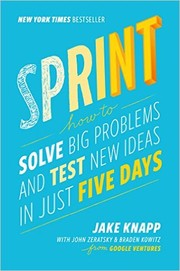
The Google Ventures five-day workshop format distilled into a repeatable method for answering critical design questions through rapid prototyping and targeted user testing. Less a design book than a process book — most valuable for teams that struggle to move from ideas to validated decisions quickly.
Recommended by: Andy Budd, Jessica Hische, Marty Cagan and 1 other

A visual encyclopedia of 125 design principles from multiple disciplines — architecture, industrial design, psychology, communication. Not a cover-to-cover read but an essential reference for finding the principle name for something you already know intuitively, which matters when presenting to non-designers.
Recommended by: Ran Segall
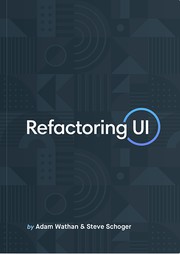
Where most design books stay in the abstract, this one opens with specific visual decisions: spacing scales, type hierarchies, color palette construction, shadow systems. Written by developers who taught themselves visual design, it's unusually practical and works equally well for product designers who want stronger visual intuition.
Recommended by: Charlie Marie Prangley, Jordan Hughes

Goal-directed design and personas: fitting software to how users think it works.

How designers persuade engineers, managers and executives that a design is right.

Psychology findings such as Fitts's and Hick's laws applied to interface design.
The book that introduced affordances, signifiers, and feedback loops to a generation of designers. Norman's analysis of why doors, phones, and stoves confuse people is the clearest argument that bad design is a systems failure, not user error. Everything else on this list builds on this vocabulary.
Recommended by: Ran Segall, Andrew Chen, Garry Tan and 9 others
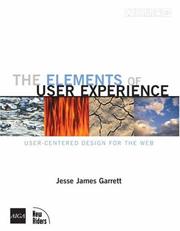
Five planes of design, from strategy to surface, for breaking down design problems.
Recommended by: Brian Armstrong, Patrick Collison and 2 others

Recommended by: Patrick Collison, Bret Victor and 1 other

Recommended by: Ev Williams

Recommended by: Bret Victor
Recommended by: John Maeda

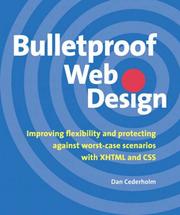
“When I first started MetaLab, Dan Cederholm was my hero. Bulletproof Web Design was the first book I read when I was learning the ropes.” — Andrew Wilkinson
Source: Essay
Recommended by: Andrew Wilkinson
Recommended by: Patrick Collison

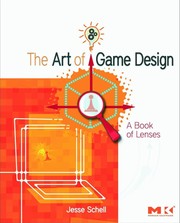
Game design principles drawn from psychology, with 100+ sets of questions to ask.
Recommended by: Nir Eyal, Ryan Hoover


Recommended by: Andy Budd


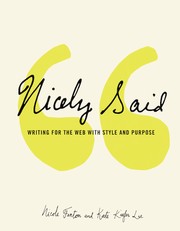
How to write web copy that meets readers' needs and business goals, with examples.
Recommended by: Jan Losert

Recommended by: George Hatzis

Recommended by: Johnnie Gomez


The brain science that matters to designers and how it shapes people's daily use.
Recommended by: Ryan Hoover
Recommended by: Johnnie Gomez


Recommended by: Austen Allred, Jordan Hughes


A print magazine on how people shape technology and how technology shapes them.
Recommended by: John Maeda
 Nir Eyalwrote 1 book hereNir Eyalrecommends 10 books here
 Patrick Collisonrecommends 6 books here
 Bret Victorrecommends 3 books here
 Brian Armstrongrecommends 2 books here
Show all 40
 Garry Tanrecommends 2 books here
 Jeff Atwoodrecommends 2 books here
 John Maedarecommends 2 books here
 Alexis Ohanianrecommends 1 book here
 Daniel Burkarecommends 1 book here
 Dustin Moskovitzrecommends 1 book here
 Ev Williamsrecommends 1 book here
 Jessica Hischerecommends 1 book here
 Julie Zhuorecommends 1 book here
 Marissa Mayerrecommends 1 book here
 Melanie Perkinsrecommends 1 book here
 Ron Conwayrecommends 1 book here